How To Install IPTV: All-In-One Manual
Step-by-step setup walkthrough for Amazon Firestick, Smart TVs (Samsung & LG), Android TV, Apple iOS, Windows PC, Mac, and MAG boxes.
🔥 Amazon Firestick Setup Guide (2026 Manual)
Choose Your Player
Your TVWorldwide subscription works in any player that supports Xtream Codes. These 3 are the ones we recommend:

Best TV guide. Live TV, instant channel switching, smooth EPG, and 4K 60fps streams.

Live TV, movies, and series all unlocked. Clean, simple, and quick to load on all Firestick models.

Ultra-modern design, multi-screen viewing, cloud playlist sync, and fast navigation.
Install the “Downloader” App on Your Firestick
Go to the Find ➔ Search bar on your Firestick home screen. Type Downloader, select the orange icon app, and click Download / Get.
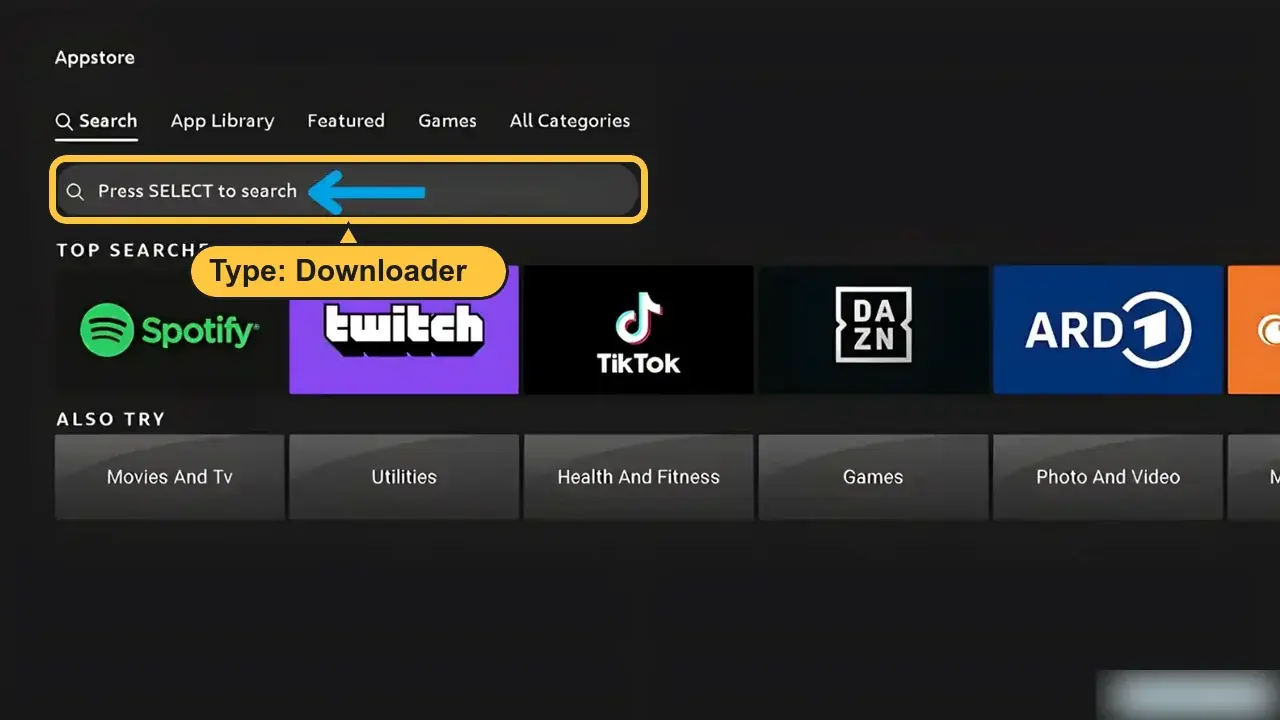
1. Search for “Downloader” in Amazon Appstore
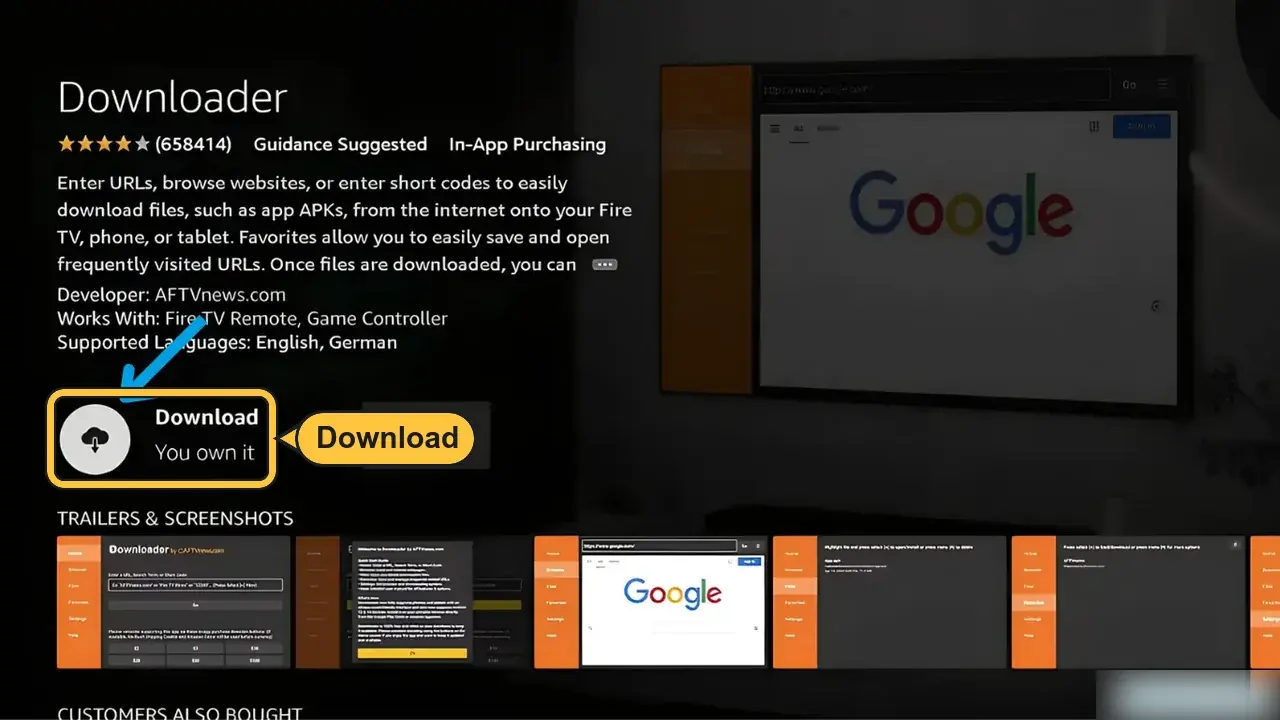
2. Click Download and wait for installation to finish
Allow Downloader to Install Unknown Apps
Go to Settings ➔ My Fire TV ➔ About. Click rapidly 7 times on your Fire TV Stick name until it says “You are already a developer”. Press Back, open Developer Options ➔ Install Unknown Apps, and turn Downloader ON.
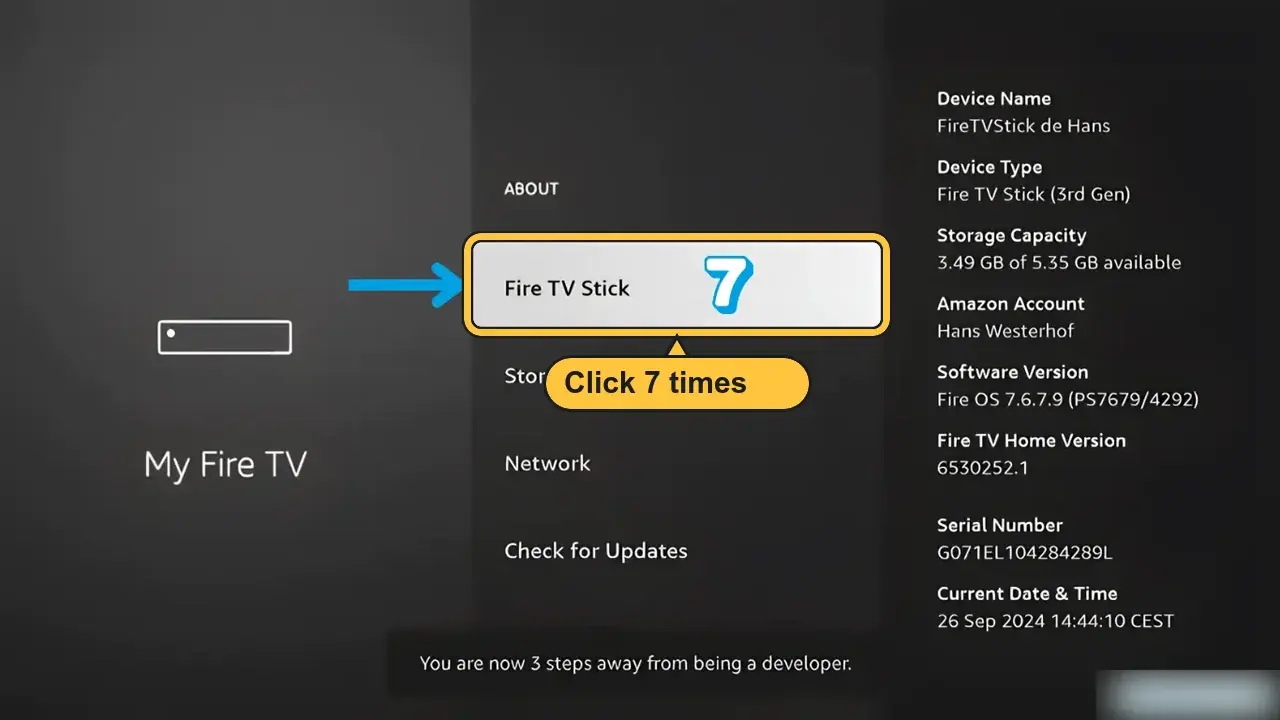
Click 7 times on Fire TV Stick
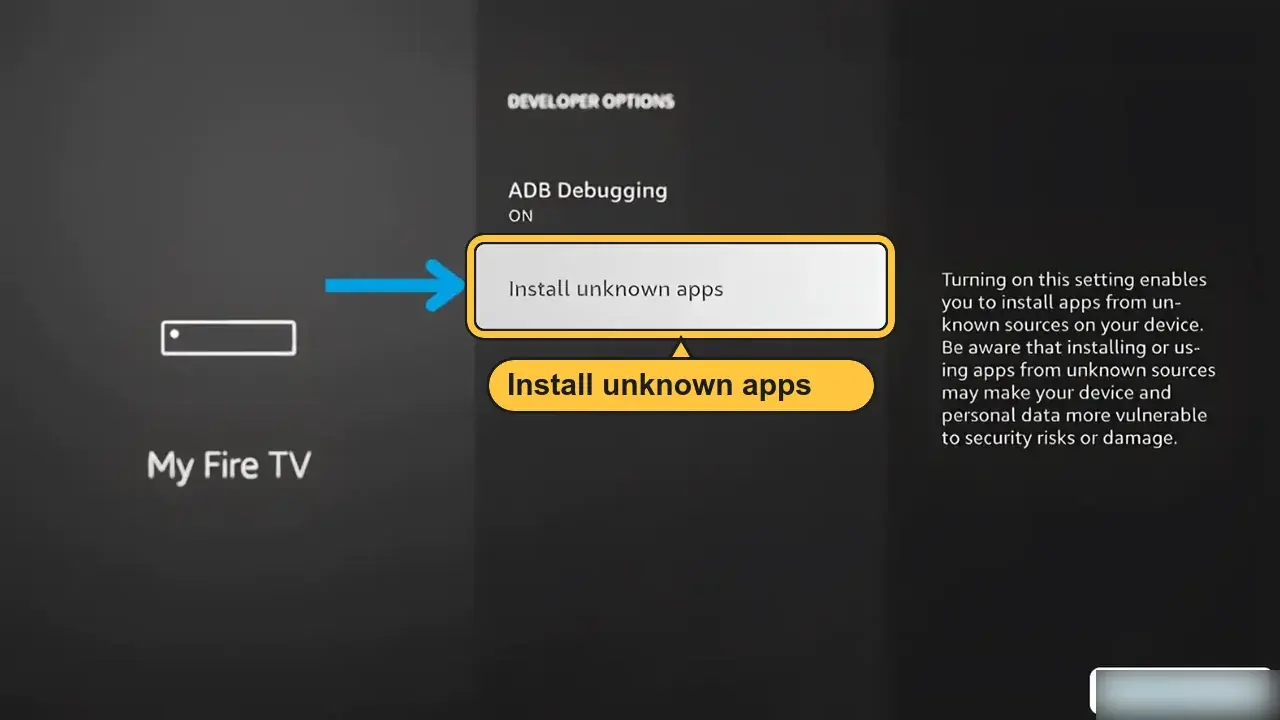
Open Install Unknown Apps
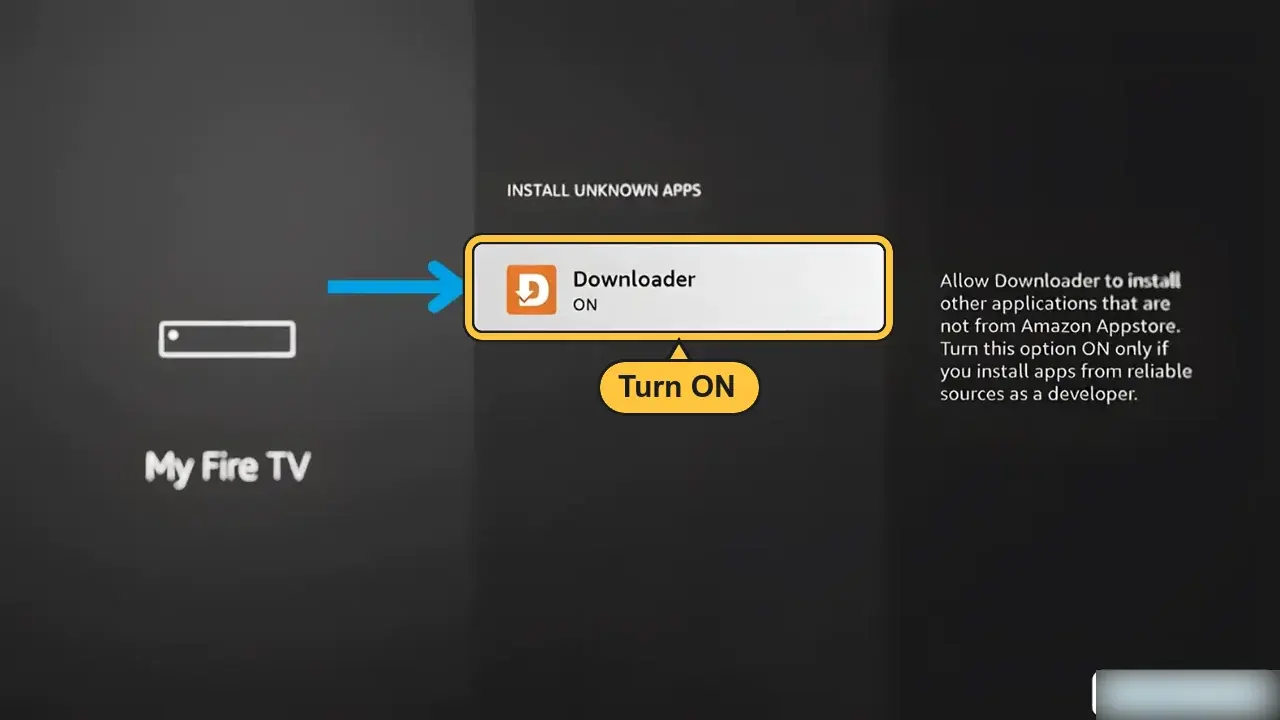
Set Downloader to ON
Open Downloader & Type Player Code
Open Downloader. In the URL box, type short code 272483 (for TiviMate) or 78522 (for OTT Navigator). Press Go and click Install when prompted.
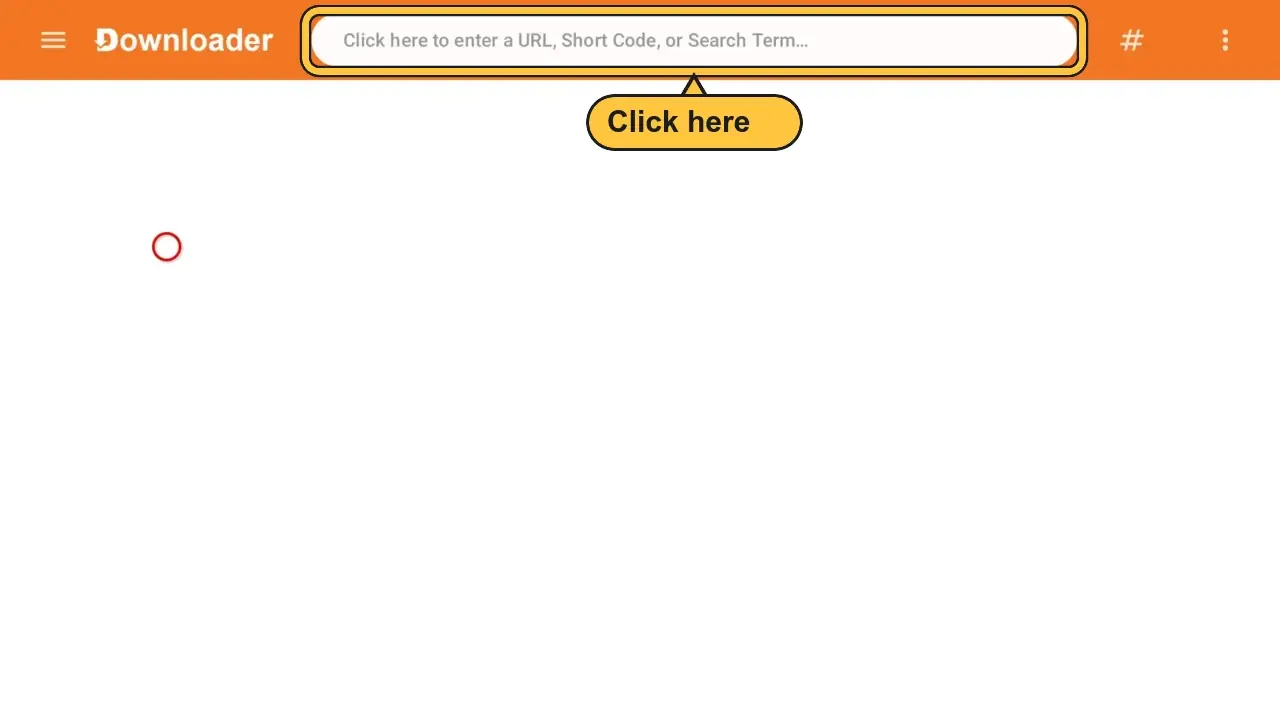
Enter short code into Downloader
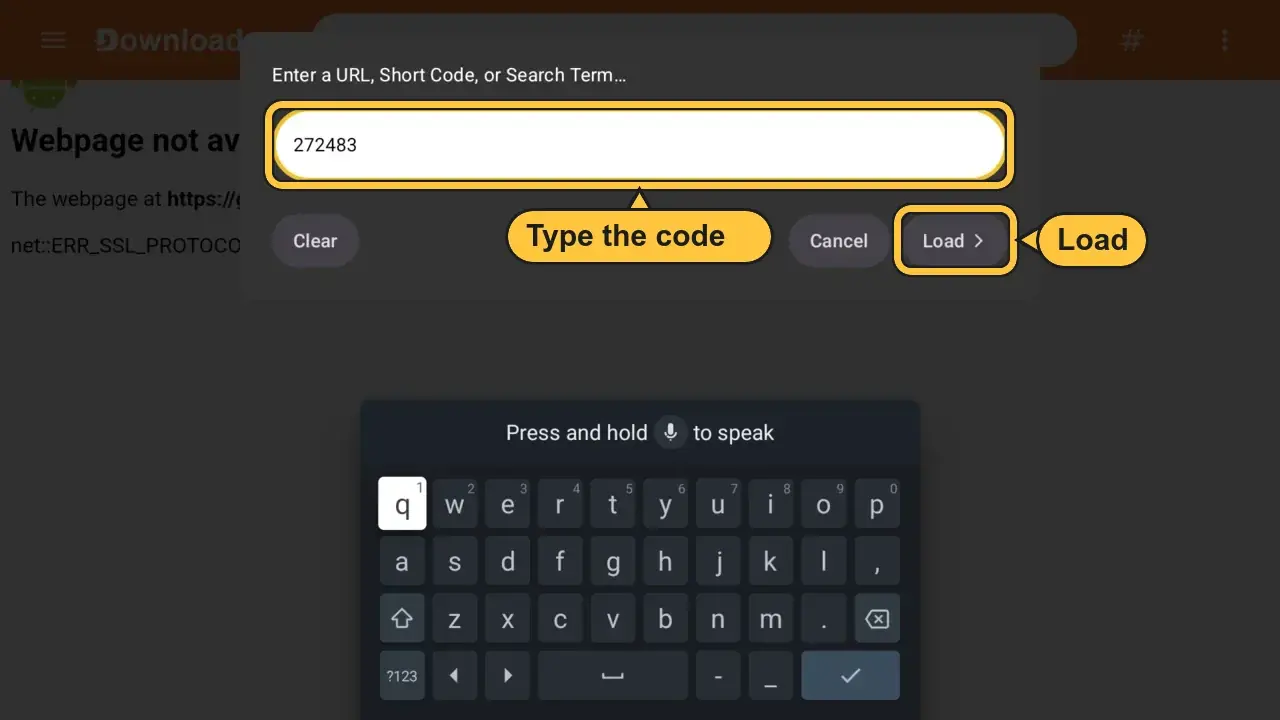
App downloads automatically in 10 seconds
Log In to Your TVWorldwide Subscription
Open the app, select Add Playlist ➔ Xtream Codes, and fill in your login credentials received via WhatsApp:
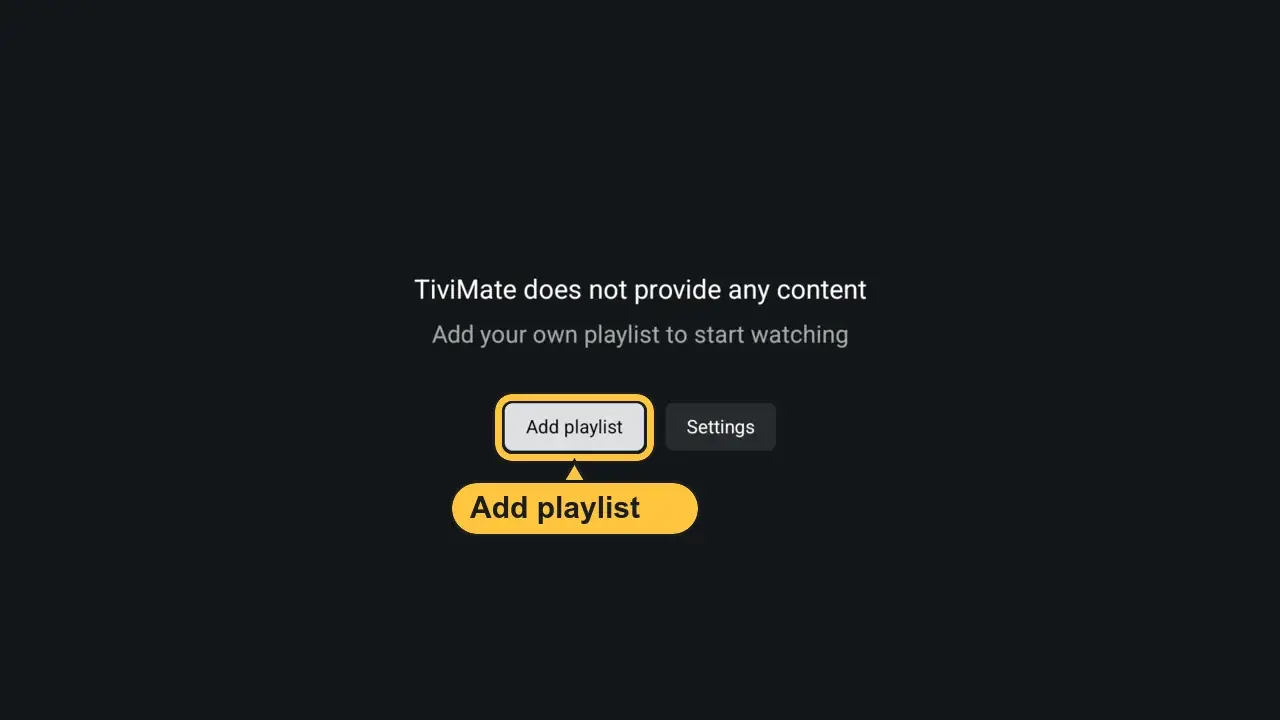
Select Xtream Codes login option
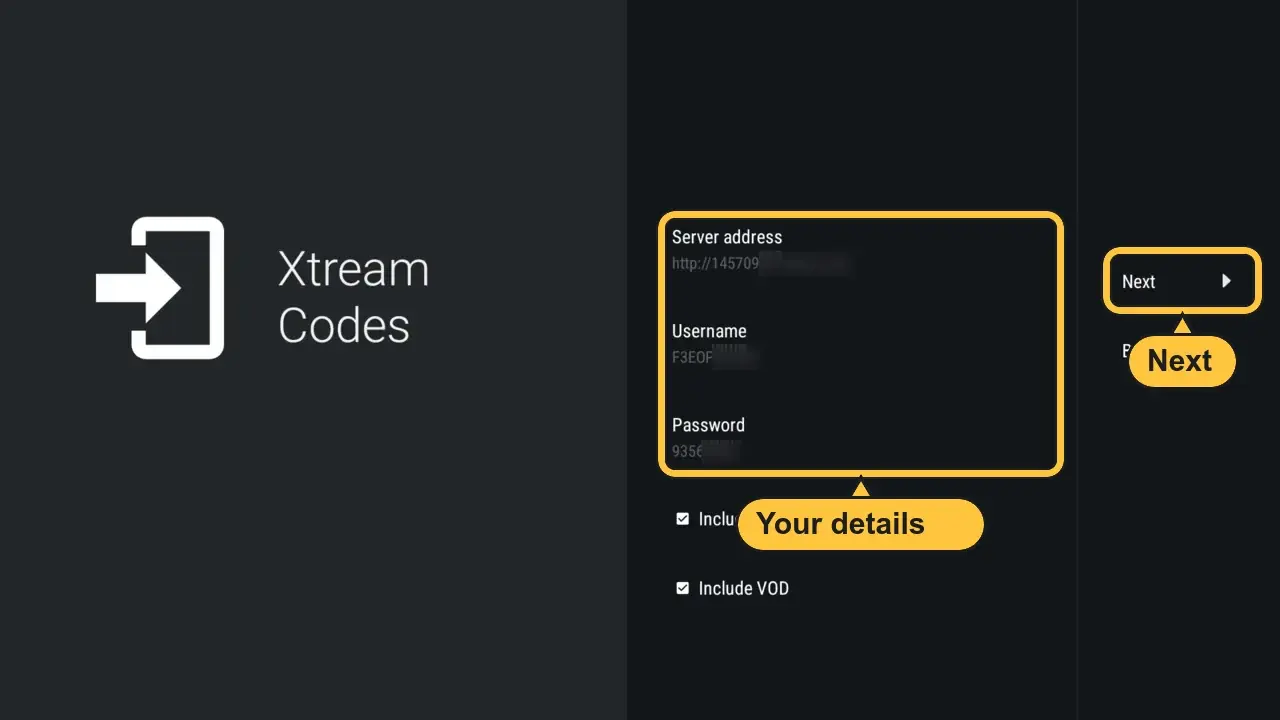
Enter Server URL, Username & Password
📺 Smart TV Setup Guide - All Brands
Search for “Hot Player” or “IBO Player” in Your TV App Store
On Samsung TVs, open Apps (Smart Hub). On LG TVs, open LG Content Store. Search for Hot Player or IBO Player, select the app, and install it.

Search and install Hot Player / IBO Player from TV App Store
Get Your Device Credentials (MAC Address & Key)
Open the app on your TV. The screen will display your TV's unique MAC Address (e.g. 3c:84:6a:...) and Device Key.
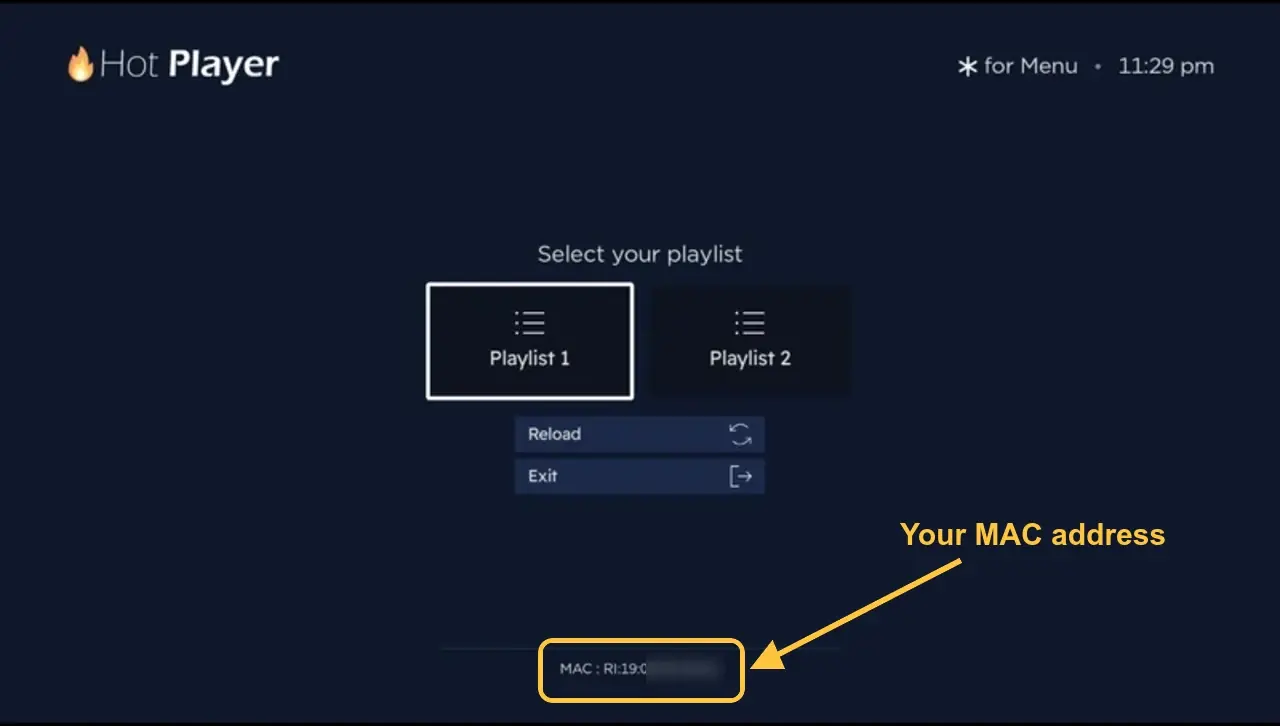
Screen displaying MAC Address and Device Key
Send MAC to WhatsApp for Instant 60-Second Remote Activation
Simply take a picture of your TV screen with the MAC address visible and send it to our WhatsApp support team. We upload and configure your entire TVWorldwide playlist directly to your TV. When you restart the app, your channels and movies start playing instantly!
Send us your TV MAC Address on WhatsApp for instant remote activation.
🤖 Android TV & Google TV Setup Guide
Install XCIPTV Player or TiviMate from Google Play Store
Open Google Play Store on your Android TV, search for XCIPTV or TiviMate, and install the official app.
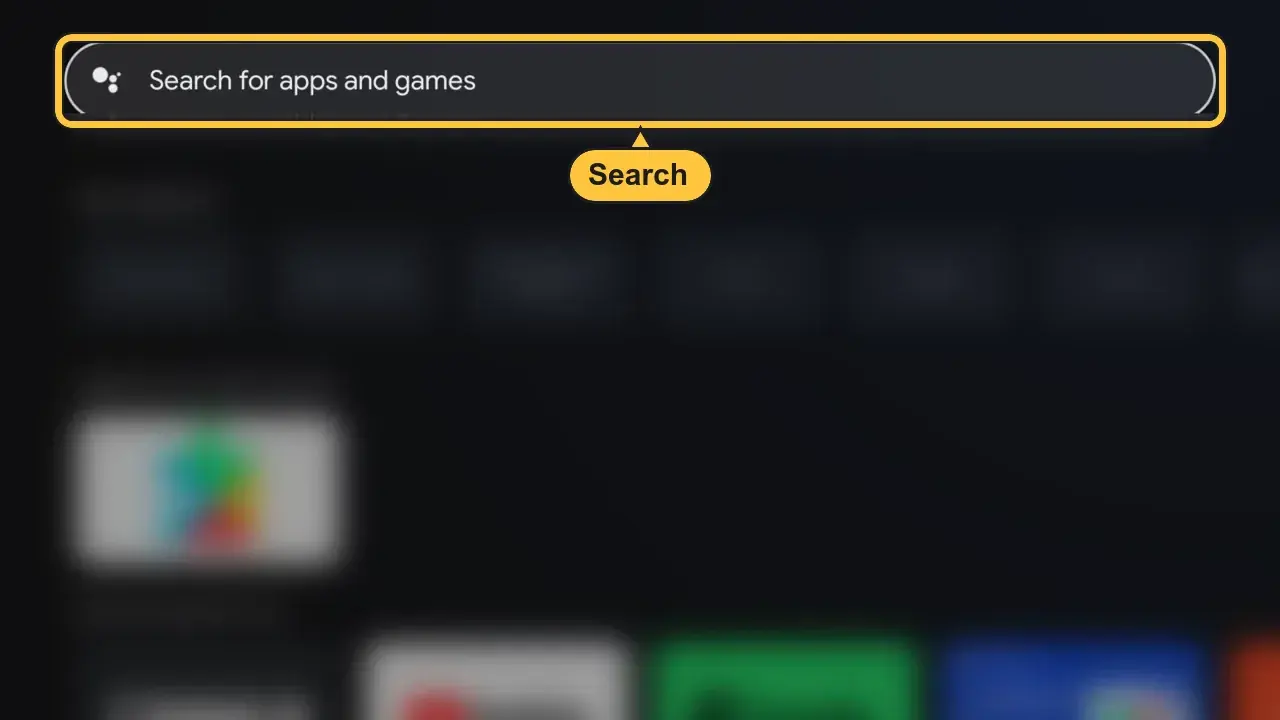
Search and install XCIPTV directly from Google Play Store
Log In to XCIPTV with Xtream Codes API
Enter Server URL, Username, and Password, then click Sign In.
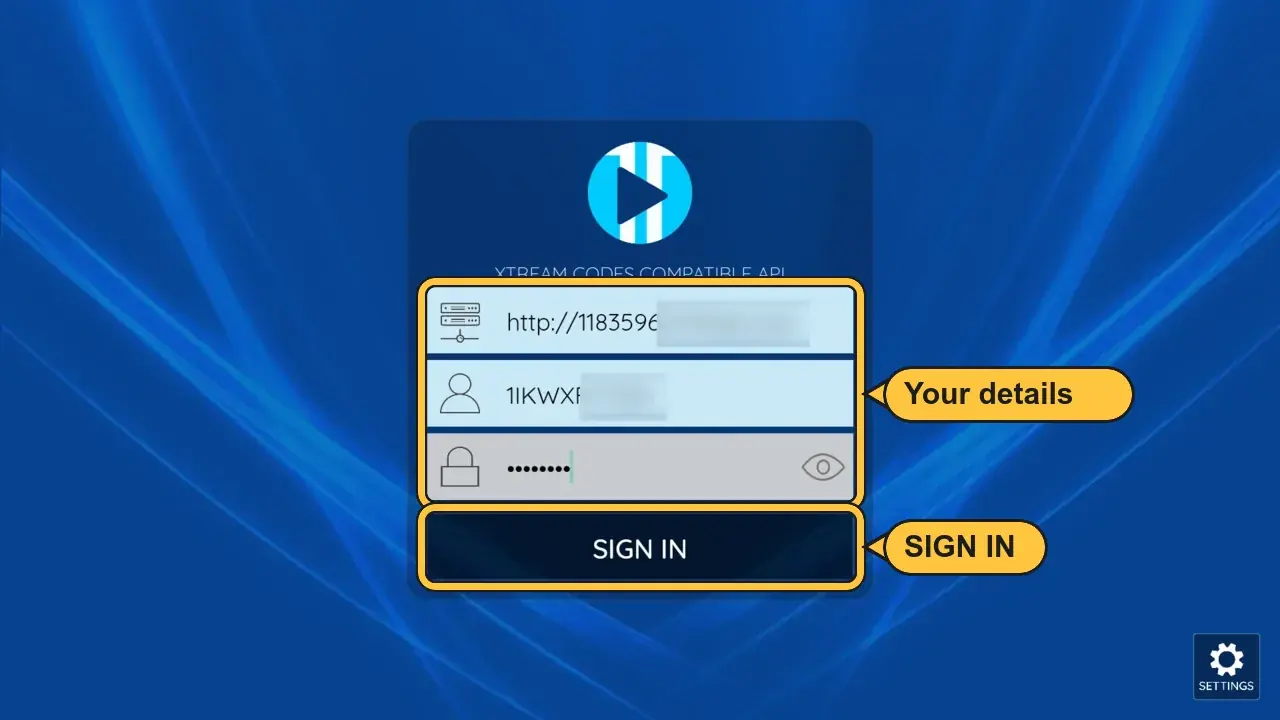
Input Xtream Codes login credentials
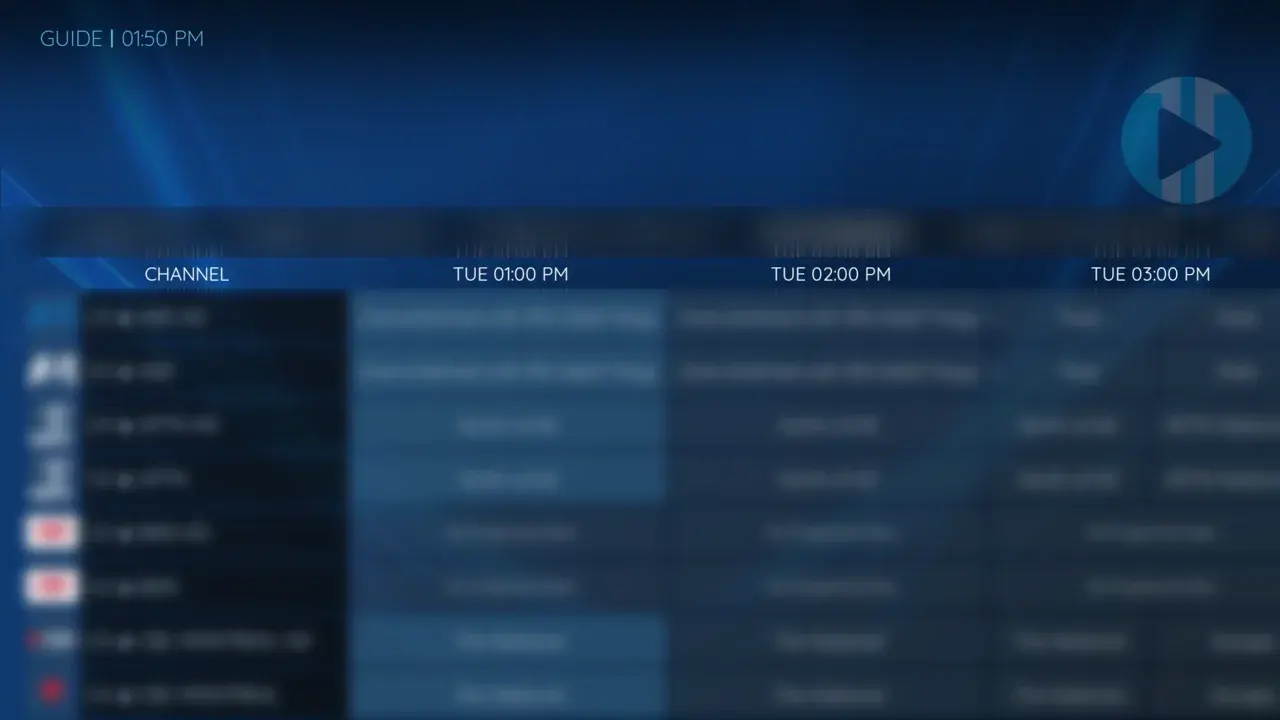
Enjoy full TV guide, live sports, and VOD
🍏 Apple Device Setup Guide
Install “iMPlayer”, “UHF”, or “Smarters Player Lite” from App Store
Open Apple App Store on your device, search for iMPlayer IPTV, UHF, or Smarters Player Lite and tap Get.
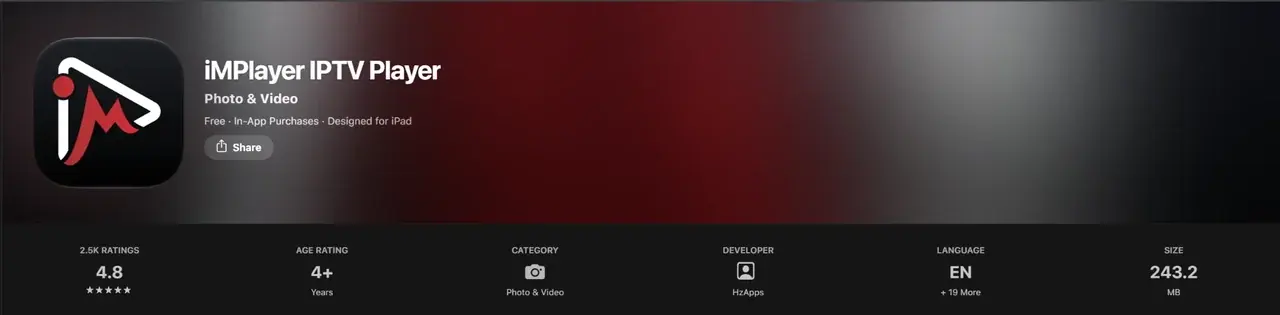
iMPlayer in Apple App Store
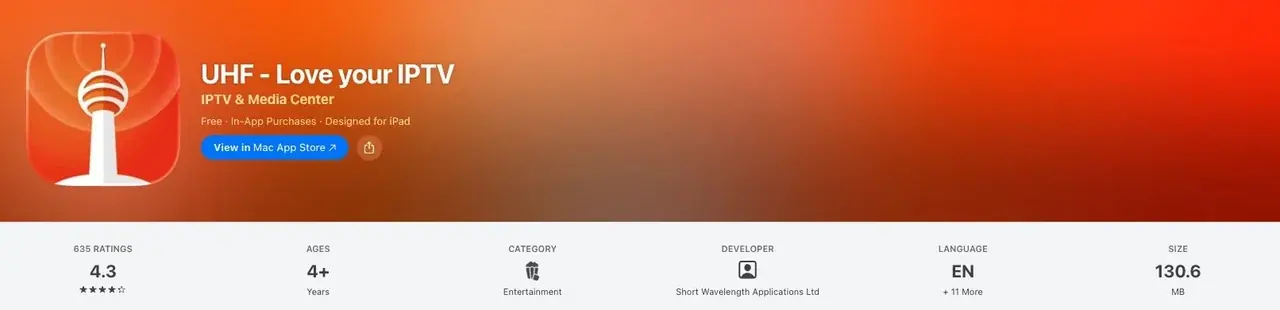
UHF Player in Apple App Store
💻 Windows Setup Guide
Install MyIPTV Player or IPTV Smarters Pro
Open Microsoft Store on Windows, search for MyIPTV Player and click Install.
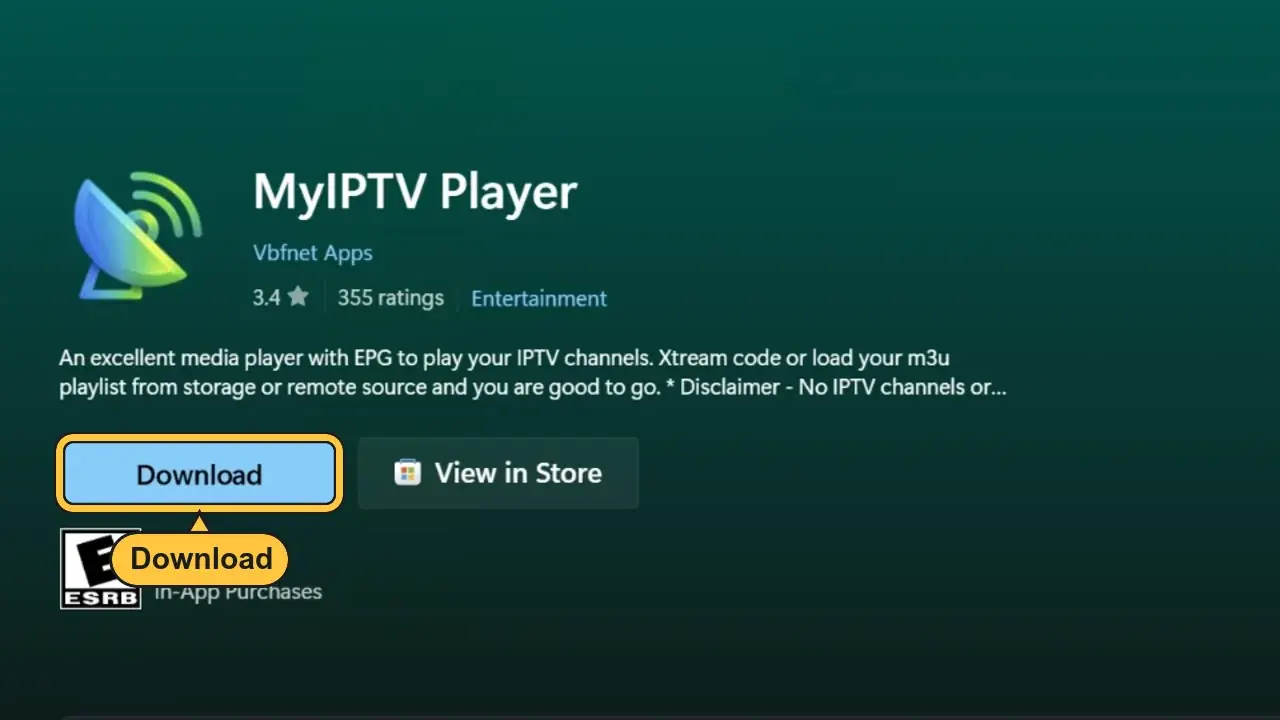
1. Install MyIPTV Player from Microsoft Store
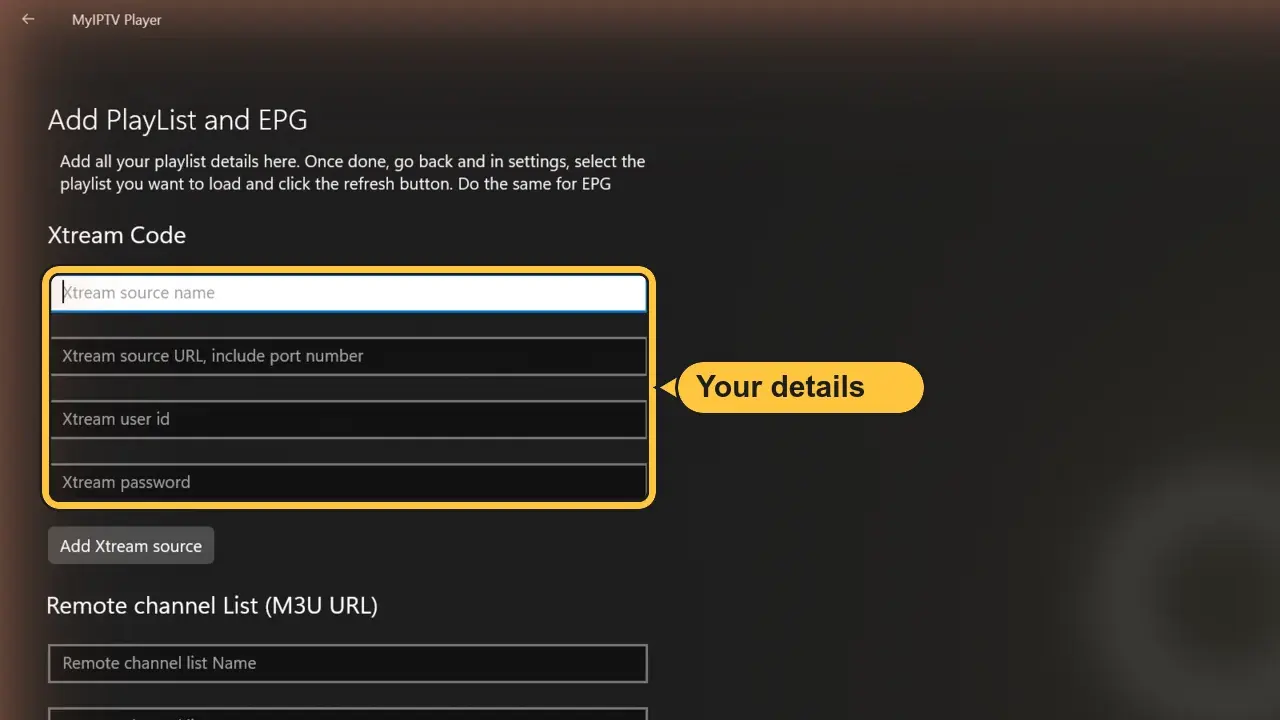
2. Add your TVWorldwide Xtream Codes details
⚡ Formuler & MAG Box Setup Guide
Formuler Z: MyTVOnline 2 & MyTVOnline 3
Open MyTVOnline ➔ Click Add Portal / Xtream API ➔ Enter Server URL, Username, and Password ➔ Connect.
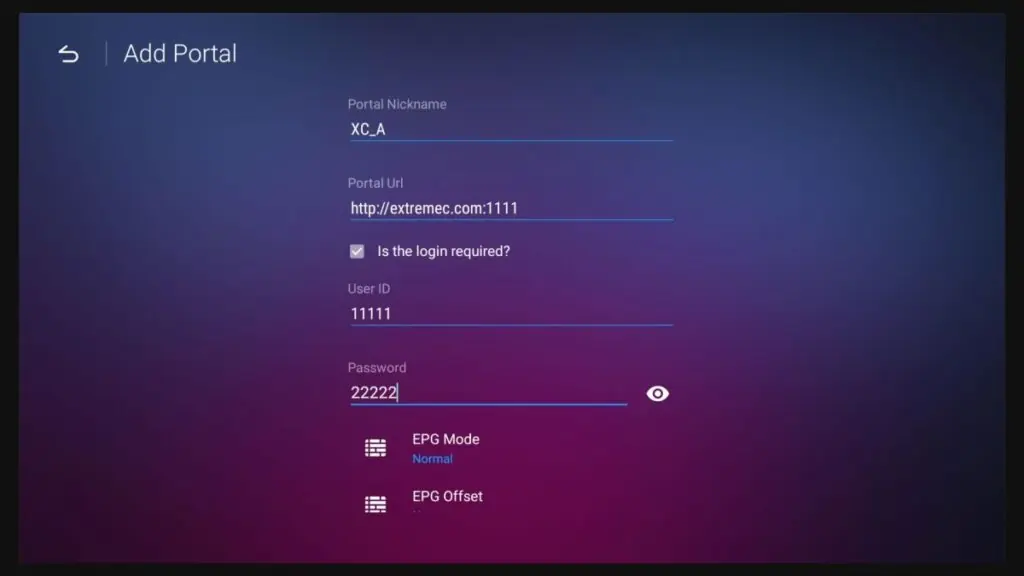
MyTVOnline Portal Setup screen on Formuler Box
🛠️ IPTV Setup: Quick Answers & Fixes
How do I fix buffering or freezing during live sports?
1. In player settings (e.g., TiviMate), change Buffer Size to Large / Very Large.
2. Switch Video Decoder from Software to Hardware (HW / HW+).
3. If your ISP throttles streaming speeds during big games, turn on a VPN (NordVPN, Surfshark, ExpressVPN).
What internet speed is required for 4K streaming?
We recommend a minimum of 15 Mbps for stable 1080p FHD streams, and 25–50 Mbps for uncompressed 4K Ultra HD 60fps broadcasts. A 5GHz Wi-Fi or Ethernet cable connection gives the best results.
What should I do if channels or EPG are missing?
Go to your player settings ➔ Playlists ➔ TVWorldwide ➔ Update / Reload Playlist. Then go to EPG ➔ Update EPG to refresh the complete program schedule.
Can I test TVWorldwide before purchasing?
Every subscription comes with an unconditional 7-Day Money-Back Guarantee. You can test all 30,000+ channels and 4K sports completely risk-free.
Need Help Setting Up Your Device?
Send us a message or photo of your screen on WhatsApp — our technicians guide you step-by-step in real time!